 Fast & Reliable Local Repairs
-
Free Diagnostics
We diagnose and explain your issue clearly before any work.
-
Pickup & Delivery
Hassle-free collection and drop-off right at your door.
 Free Diagnostics
 Pickup & Delivery
How to Tell If Your Hard Drive Is Failing Before It Crashes
Your computer's hard drive or solid-state drive is the quiet vault where everything you care about lives—from precious family photos and financial records to your operating system and favorite games. When a drive starts to fail, it rarely stops working all at once without warning. Instead, it usually leaves a trail of subtle clues.
Recognizing these early warning signs can mean the difference between a quick, easy data transfer and losing years of irreplaceable memories to a sudden crash.
1. Strange Clicking, Grinding, or Whirring Noises
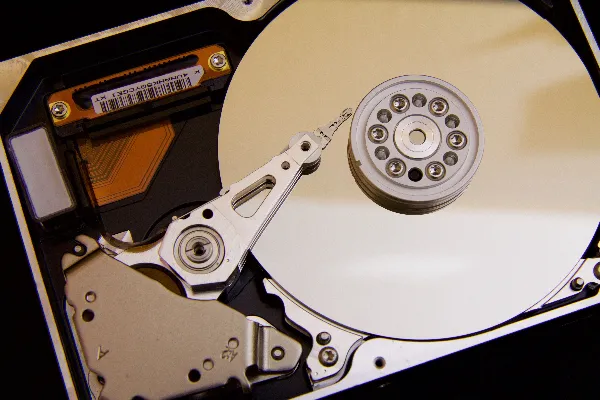
If you use a traditional mechanical hard drive (HDD) containing spinning internal platters, strange mechanical sounds are one of the most unmistakable signs of hardware failure.
What to Listen For:
- A repetitive clicking, tapping, or grinding sound (often called the "click of death") indicates that the internal read/write head is failing to find data and repeatedly crashing back into its resting position.
- If your computer sounds like a whirring jet engine or a buzzing insect every time you open a large file, the internal drive motor or bearings are wearing out.
2. Frequent Freezes, Blue Screens, and Slowdowns
When a storage drive develops damaged sectors, your operating system struggles to read and write core system files. This manifests as erratic performance issues.
- Random Freezes: Your computer suddenly locks up completely for 30 seconds to a minute while simply browsing the web or opening a folder.
- Blue Screens of Death (BSOD) or Kernel Panics: Receiving sudden crash screens citing errors like
UNREADABLE_BOOT_DEVICEmeans Windows or macOS can no longer reliably communicate with your storage.
3. Disappearing Files and Corrupted Folders
Have you ever opened a folder only to find that important documents have vanished, or that file names have morphed into bizarre lines of scrambled symbols and unreadable characters?
- File corruption is a textbook sign that specific sectors on your storage drive have degraded and can no longer store data accurately.
- If saving a simple Word document suddenly throws an error saying the file cannot be saved or the path cannot be found, your drive is actively losing its ability to write data.
4. Extremely Slow Boot Times and File Transfers
While a computer can slow down due to background malware or heavy bloatware, a drastic drop in file transfer speeds is often hardware-related.
- If copying a small folder of photos takes twenty minutes or your computer takes ten minutes just to reach the login screen, the drive is struggling to process basic input/output commands.
What to Do If You Spot the Warning Signs
If your computer is exhibiting any of these symptoms, act immediately before the drive fails permanently:
- Stop Using the Computer: Avoid heavy downloading, installing updates, or continuously rebooting the machine, as every second of operation increases wear on a dying drive.
- Back Up Now: Immediately copy your most critical files (photos, tax documents, school work) to an external USB flash drive or secure cloud storage while the computer is still operational.
- Bring It to the Pros: If your computer won't boot past the manufacturer logo or refuses to read external drives, bring it into our local repair shop. We can run advanced diagnostic scans, extract your data safely, and install a blazing-fast new SSD before total failure strikes.
Worried Your Hard Drive Is Dying?
Don't risk losing your files. Bring your computer in for an immediate diagnostic and safe data backup.
Get Data Recovery Help